
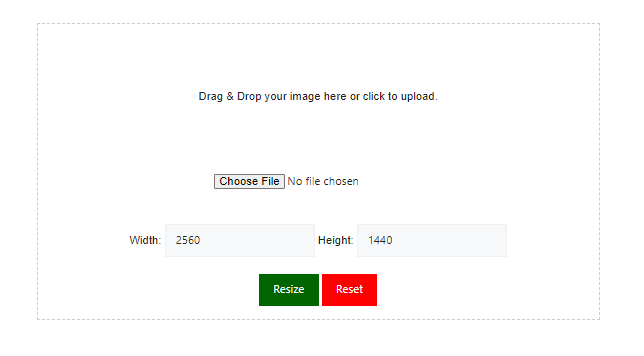
A YouTube banner should be 2560 x 1440 pixels, use a 16:9 aspect ratio, and stay under 6 MB. Upload your picture to this free YouTube banner size converter above, and it resizes your image to those exact dimensions in seconds.
Upload any image and resize it to the perfect YouTube banner size. Free, private, no signup.
Your image stays on your device. It is processed in your browser and never uploaded. Tip: on desktop, drag the preview to reposition your image.
How to Use the YouTube Banner Resizer
- Upload your image. Drag a JPG, PNG, or WebP file onto the tool, or click to browse.
- Pick a size. Choose 2560 x 1440 (recommended), 2048 x 1152 (minimum), or 1024 x 576. You can also enter a custom size.
- Choose a fit mode. Fill crops the image to cover the whole banner. Fit keeps the entire image and adds a blurred or solid background. Stretch forces the exact size but can distort your picture.
- Check the device previews. Switch between TV, desktop, tablet, and mobile to see what viewers will see.
- Download. Save the finished banner as a JPG or PNG. The tool compresses JPG files automatically if they exceed 6 MB.
How YouTube Displays Your Banner on Every Device
You upload one image, and YouTube crops it differently for each screen. Only the center strip is guaranteed to show everywhere.
| Device | Visible area |
|---|---|
| TV | 2560 x 1440 px (full image) |
| Desktop | 2560 x 423 px |
| Tablet | 1855 x 423 px |
| Mobile | 1546 x 423 px |
These figures are published in guides like <a href=”https://clipchamp.com/en/blog/youtube-banner-size-dimensions-format-tips/” target=”_blank” rel=”noopener”>Clipchamp’s banner size breakdown</a>. Our previews use the same proportions, so you can spot problems before you upload.
YouTube Banner Size for Mobile and All Devices
The safest rule is simple. Keep your channel name, logo, faces, and any text inside the centered 1546 x 423 px safe area.
Anything outside that zone may only appear on tablets, desktops, or TVs. Edge details work well as background texture, not as important information.
Also remember that YouTube can display your channel links over the bottom-right corner of the banner on desktop. Avoid placing key text there.
2560×1440 vs 2048×1152 vs 1024×576
These three sizes are the most searched, and they serve different purposes.
- 2560 x 1440: The recommended size. It looks sharp on TVs and large monitors.
- 2048 x 1152: The smallest size YouTube accepts. It works, but it is less crisp on big screens.
- 1024 x 576: Same 16:9 shape, but below the upload minimum. Use it for drafts, previews, and quick mockups, not for your final channel art.
If you’re wondering how to make a 1024 x 576 YouTube banner, select that preset in the tool, upload your image, and download it. For your live channel, export at 2560 x 1440 instead.
A Simple YouTube Banner Template That Works
You don’t need advanced design skills. This layout looks clean on every screen:
- Start with one wide, high-quality photo that matches your content.
- Darken it slightly so text stays readable.
- Place your channel name in the center, in one bold font.
- Add a short tagline or upload schedule beneath it.
Design your banner in any editor you like, then run it through the converter to lock in the correct size and file weight.
Common YouTube Banner Mistakes
- Text near the edges. It gets cropped on phones and tablets.
- Upscaling a small image. A tiny picture stretched to 2560 x 1440 looks blurry. Start with the largest source you have.
- Ignoring file size. Files over 6 MB are rejected.
- Using the wrong shape. Stretching a square photo into 16:9 distorts faces. Use Fill or Fit mode instead.
FAQs
How do I size a banner for YouTube?
Create or resize your image to 2560 x 1440 pixels (16:9), keep important content inside the 1546 x 423 px center area, and save it under 6 MB. Upload it in YouTube Studio under Customization > Branding. The converter above handles the sizing for you.
Is 21:9 a YouTube banner size?
No. YouTube banners use a 16:9 canvas. A 21:9 ultrawide image will not match, so it must be cropped or resized. Use the tool’s Fill or Fit mode to convert it to 16:9 without guesswork.
How do I make a 1024×576 YouTube banner?
Upload your image, select the 1024 x 576 preset, and download the result. This size keeps the 16:9 ratio but is smaller than YouTube’s 2048 x 1152 minimum, so use it for previews rather than your live channel.
What is the maximum YouTube banner size in 2026?
The recommended banner size is 2560 x 1440 pixels, and the maximum file size is 6 MB. Current guides, including Wyzowl and Snappa, list these same figures for 2026.
Resize Your YouTube Banner Now
A perfectly sized banner makes your channel look professional from the first visit. Scroll back up, upload your image, check the device previews, and download your banner. It’s free, fast, and private.
References
- YouTube Help, channel art/banner guidelines: https://support.google.com/youtube (search “channel banner” and link the exact article)
- YouTube Creator Academy and the YouTube Help Community for design guidance
- Google Design / Material guidance on safe areas and responsive imagery (optional)
- MDN, responsive images: https://developer.mozilla.org/en-US/docs/Web/HTML/Guides/Responsive_images