
Need to rotate an image online? Our free Image Rotator lets you turn any photo left, right, or by an exact angle, including a full 360° rotation. Upload your picture, rotate it, and download the result in seconds with no software and no signup.
Free Image Rotator
How to Rotate an Image Online
- Open the Image Rotator in any browser.
- Upload your image (JPG, PNG, WebP, and more).
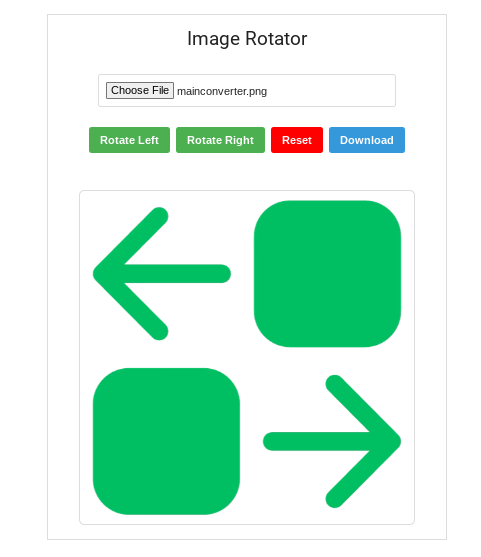
- Rotate it 90° left or right, or enter the exact number of degrees you want.
- Preview the result, then download the rotated image with its original quality intact.
Rotate Picture by Degrees (Any Angle)
Sometimes a simple 90° turn isn't enough. Use our tool to rotate a picture by degrees, such as 15°, 45°, 180°, or any custom angle, to straighten a tilted horizon, fix a scanned document, or create a creative layout. Our 360 rotate image online option lets you spin the image through a full circle until it sits exactly right.
Rotate Face in Photo Online
Does a portrait or selfie appear sideways or upside down? You can rotate a face in a photo online in one step. Upload the picture, turn it until the face is upright, and download the corrected version. It works for profile photos, ID photos, and group shots.
Rotate Image Online by Degree: Common Uses
- Fix sideways photos taken on a phone or camera
- Straighten crooked images, such as scans, screenshots, and horizons
- Turn horizontal images vertical (or the reverse) for social media, print, or documents
- Prepare images for presentations, websites, and design projects
Benefits of Using Our Free Image Rotator
- Free and unlimited: Rotate image online free as often as you like. No hidden fees, no watermarks.
- Works on any device: Use it on a desktop, laptop, tablet, or smartphone with just a browser.
- No installation or registration: Skip the software and the account creation.
- Easy to use: The simple interface is built for beginners and pros alike.
- Keeps image quality: Rotate without visible pixelation or distortion, and download at full detail.
- Fast: Rotate in a few clicks instead of opening heavy editing software.
- Private: Your images aren't stored or accessed by third parties.
Frequently Asked Questions
How can I rotate a picture online?
Open the Image Rotator, upload your picture, and rotate it left, right, or by a custom number of degrees. Then click download to save the rotated image. It's free and needs no signup.
How do I rotate an image in a browser?
You don't need to install anything. Any modern browser (Chrome, Safari, Firefox, Edge) can run our online rotator. Upload your image, choose the rotation angle, and download the result directly from the same page.
How to rotate an image from horizontal to vertical?
Rotate the image 90° left or right. A landscape (horizontal) picture becomes portrait (vertical), and the same turn converts portrait back to landscape. Upload your file, click the 90° rotate button, and download.
How do I get my phone to rotate a picture?
- iPhone: Open the photo in Photos, tap Edit, tap the Crop icon, then tap the Rotate icon (or drag the dial for a custom angle), and tap Done.
- Android (Google Photos): Open the photo, tap Edit, choose Crop, tap Rotate, then Save copy.
- Any phone: Open our Image Rotator in your mobile browser, upload the photo, rotate it, and download.
Related: